

Teams overview
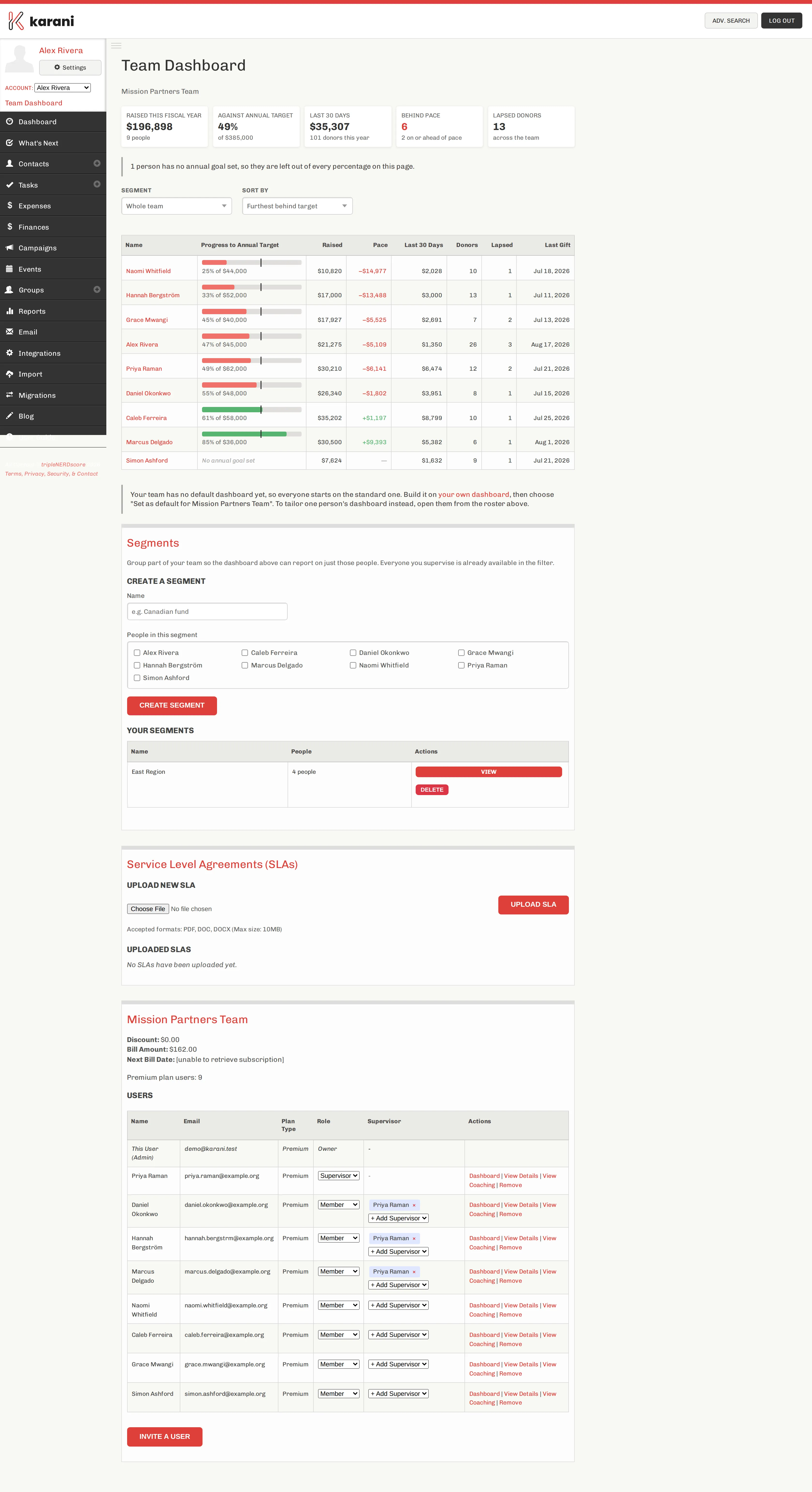
A team in Karani is a group of fundraisers billed together and, usually, led together. One person pays; leaders and supervisors can see how everyone is doing, coach them, and set up their dashboards.
Teams are how an organisation with 23 missionaries runs Karani without configuring 23 accounts by hand.
What a team gives you
Section titled “What a team gives you”| One bill | The team leader pays for everyone, at an automatic volume discount |
| A team dashboard | Every member’s progress against their goal, with pace |
| Member detail pages | One person’s fundraising, tasks, and gifts |
| Coaching notes | A running record of your conversations with each person |
| Segments | Slice the team by fund, region, or cohort |
| Assigned dashboards | Build someone a starting dashboard, or set one for the whole team |
| Shared integrations | Share one QuickBooks or Microsoft connection with the team |
| SLAs | Store the agreements that govern the team |
Every person in a team has one role, and the role decides what they can see.
| Role | Can see | Can do |
|---|---|---|
| Owner | The whole team | Everything, including billing |
| Admin | The whole team | Everything except billing ownership |
| Supervisor | Only their assigned members | Coach and build dashboards for those people |
| Member | Only themselves | Their own account |
Owners and admins are collectively leaders — they set the group-wide default dashboard, build dashboards for anyone, and manage segments.
Full detail in Roles & permissions.
Team vs. organisation vs. account share
Section titled “Team vs. organisation vs. account share”Three different things that all sound similar:
- A team (payment group) is a billing and leadership unit. Covered here.
- An account share is one person granting another full access to their account.
- An organisation is a larger structure your organisation’s administrators manage. Out of scope for these docs.
Setting one up
Section titled “Setting one up”Teams are configured by Karani rather than being self-service. Email customerservice@karani.co with who’s paying and roughly how many people. See Setting up a team.