

Check-in
Check-in is a screen built for one job: marking people as arrived, fast, on whatever device the person at the door is holding.
Open it with Open Check-In on the event dashboard, or go directly to the
event’s /checkin URL.
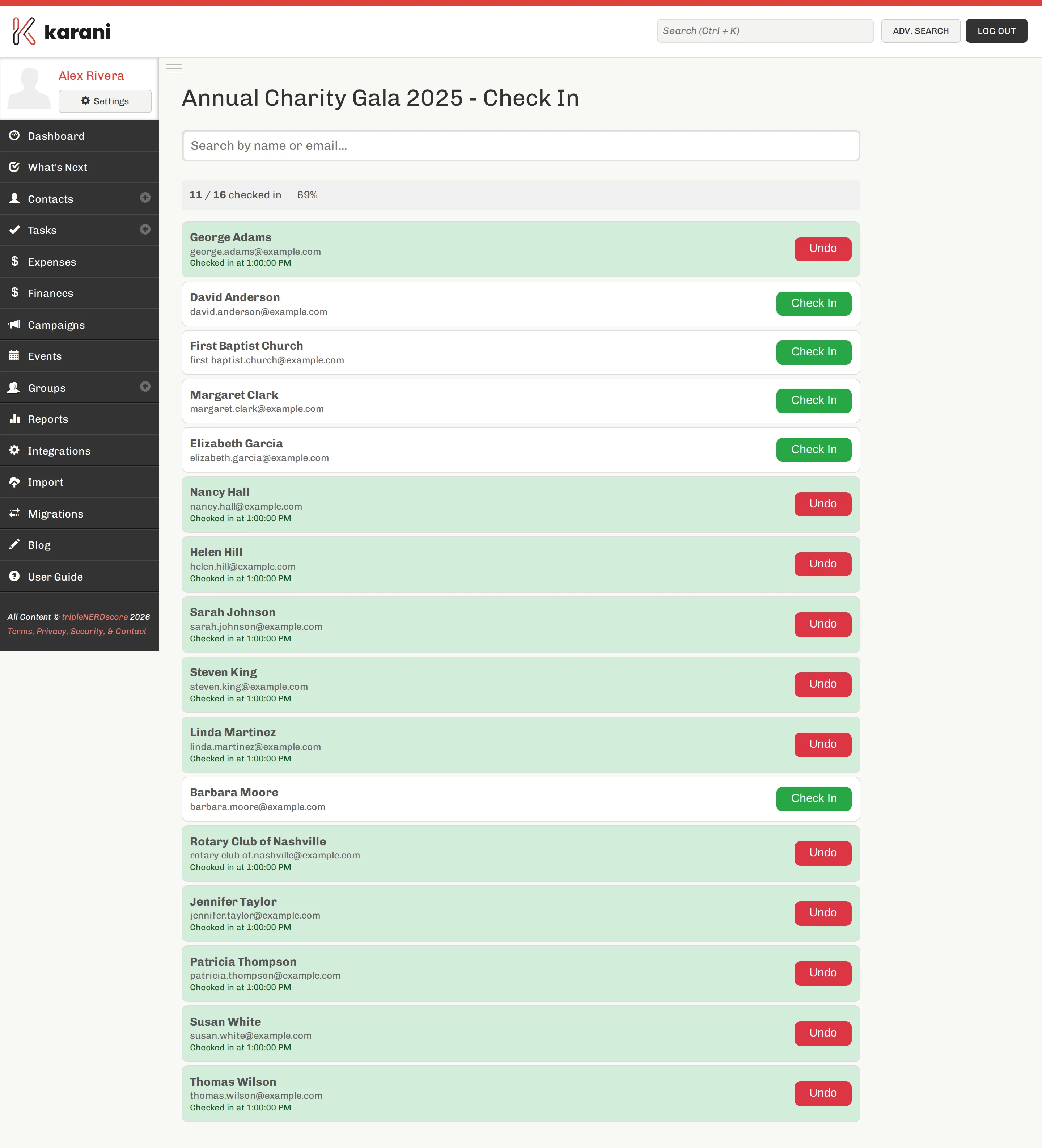
Checking someone in
Section titled “Checking someone in”- Search for them — by name, email, or confirmation number.
- Tap Check in.
The count updates immediately, and it’s shared: several people can run check-in at once on different devices and see the same state.
Undoing a check-in
Section titled “Undoing a check-in”Every checked-in attendee has an undo action. Use it when you tap the wrong row, which happens on a busy door.
Before the night
Section titled “Before the night”Walk-ins
Section titled “Walk-ins”Someone who turns up without registering isn’t in the list. Two options:
- Register them on the spot through the public registration page, then check them in.
- Take their details on paper and add them afterwards, either as a registration or straight into Contacts.
The first keeps your numbers right on the night; the second keeps the queue moving. Pick based on how long the line is.
What check-in gives you
Section titled “What check-in gives you”The event dashboard shows checked in and check-in percentage live, so you know your actual attendance against your registration count.
That gap — registered versus turned up — is one of the more useful numbers you can carry into planning the next event.