

Integrations overview
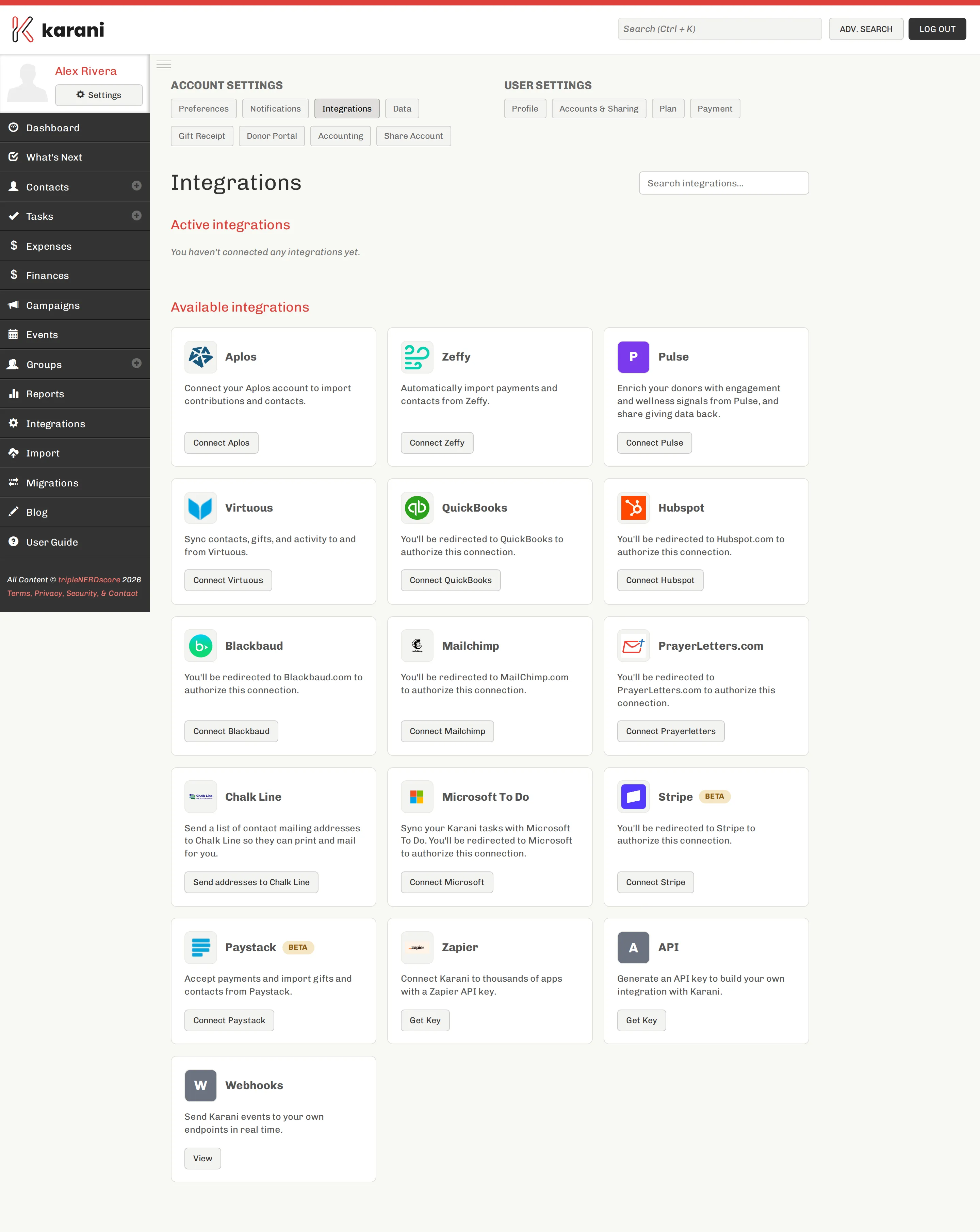
Integrations connect Karani to the other systems you use, so data moves without you exporting and re-importing.
Find them under Integrations in the left navigation, or at karani.co/account/services.
What’s available
Section titled “What’s available”Taking money
Section titled “Taking money”| What it does | |
|---|---|
| Stripe | Online giving link and card processing |
| Paystack | Online giving for Africa |
| PayPal | PayPal giving |
| Zeffy | Zero-fee donation platform; imports payments and contacts |
Donor and accounting systems
Section titled “Donor and accounting systems”| What it does | |
|---|---|
| QuickBooks | Sync gifts with your accounting |
| Aplos | Import contributions and contacts |
| Blackbaud | Sync contacts |
| Virtuous | Sync contacts, gifts, and activity both ways |
| HubSpot | Sync contacts and companies |
| Pulse | Enrich donors with engagement signals |
Communication
Section titled “Communication”| What it does | |
|---|---|
| Mailchimp | Keep a Karani group in sync with a Mailchimp list |
| PrayerLetters.com | Printed newsletters from a Karani group |
| Microsoft To Do & Outlook | Two-way task sync |
| Google Calendar & Tasks | Events to Google Calendar, tasks to Google Tasks |
Build your own
Section titled “Build your own”| What it does | |
|---|---|
| Zapier | Connect Karani to thousands of apps |
| API | REST API for contacts, gifts, pledges, and tasks |
| Webhooks | Get notified when things change in Karani |
| Lead capture | Embeddable form that adds contacts |
Connecting one
Section titled “Connecting one”Most integrations use OAuth: click Connect, you’re sent to the other service to authorise, and returned to Karani. Nothing to copy and paste.
Connected integrations appear under Active integrations at the top of the page, with Disconnect and any per-integration controls.
Before you connect anything
Section titled “Before you connect anything”Disconnecting
Section titled “Disconnecting”Disconnect on the integration’s card. Disconnecting stops the sync; it doesn’t delete data on either side. Specifics vary — each integration’s page says what happens.
Where to go next
Section titled “Where to go next”MailchimpThe one most people set up first.
StripeOnline giving, and how the money flows.
Developer overviewAPI, webhooks, and embeddable forms.
ZapierConnect to things Karani doesn't integrate with directly.