

Notifications
Settings → Notifications, or karani.co/account/notifications.
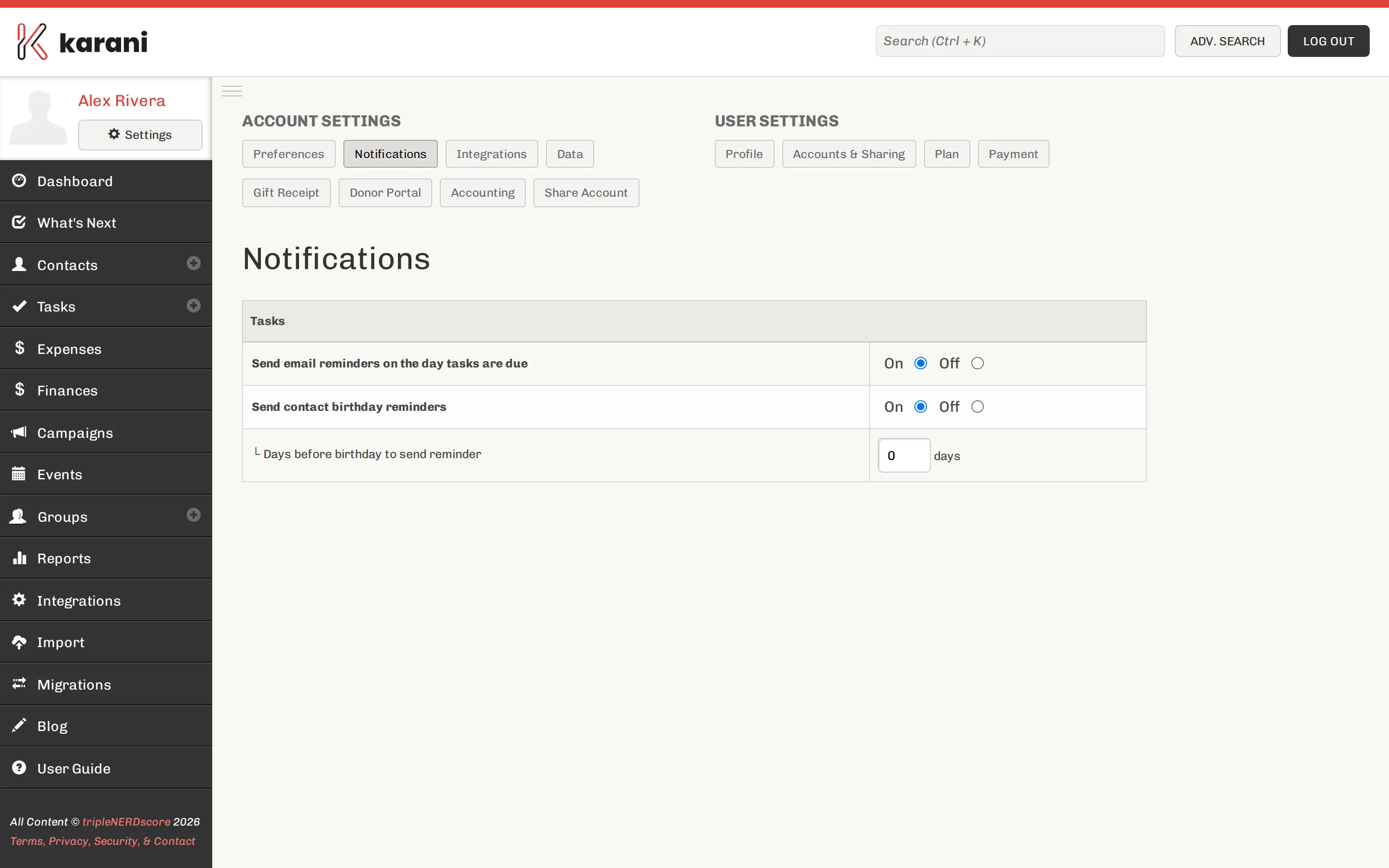
What Karani can email you about
Section titled “What Karani can email you about”Depending on your setup:
- Task reminders — what’s due
- Birthday reminders — ahead of a contact’s birthday, with a configurable number of days’ notice (see Preferences)
- Digests — periodic summaries of activity
- Account and billing notices — trial ending, payment issues
Choosing what to keep
Section titled “Choosing what to keep”Everything a notification could tell you is available in the product:
- What’s due → Tasks page
- Who needs attention → What’s Next
- How you’re doing → Finances and Status Report
If you open Karani regularly, you may want almost none of them.
Billing notices
Section titled “Billing notices”Trial-ending and payment-failure notices are worth keeping regardless of your appetite for email — a failed payment you don’t notice can suspend your account. See Payment & billing.
Not getting notifications?
Section titled “Not getting notifications?”- Check they’re enabled here.
- Check your spam folder.
- Check the email address on your profile is current.
If they’re genuinely missing, email support@karani.co. Background on email delivery is in Deliverability.