

Sending an email
-
Open the contact and click Send Email.
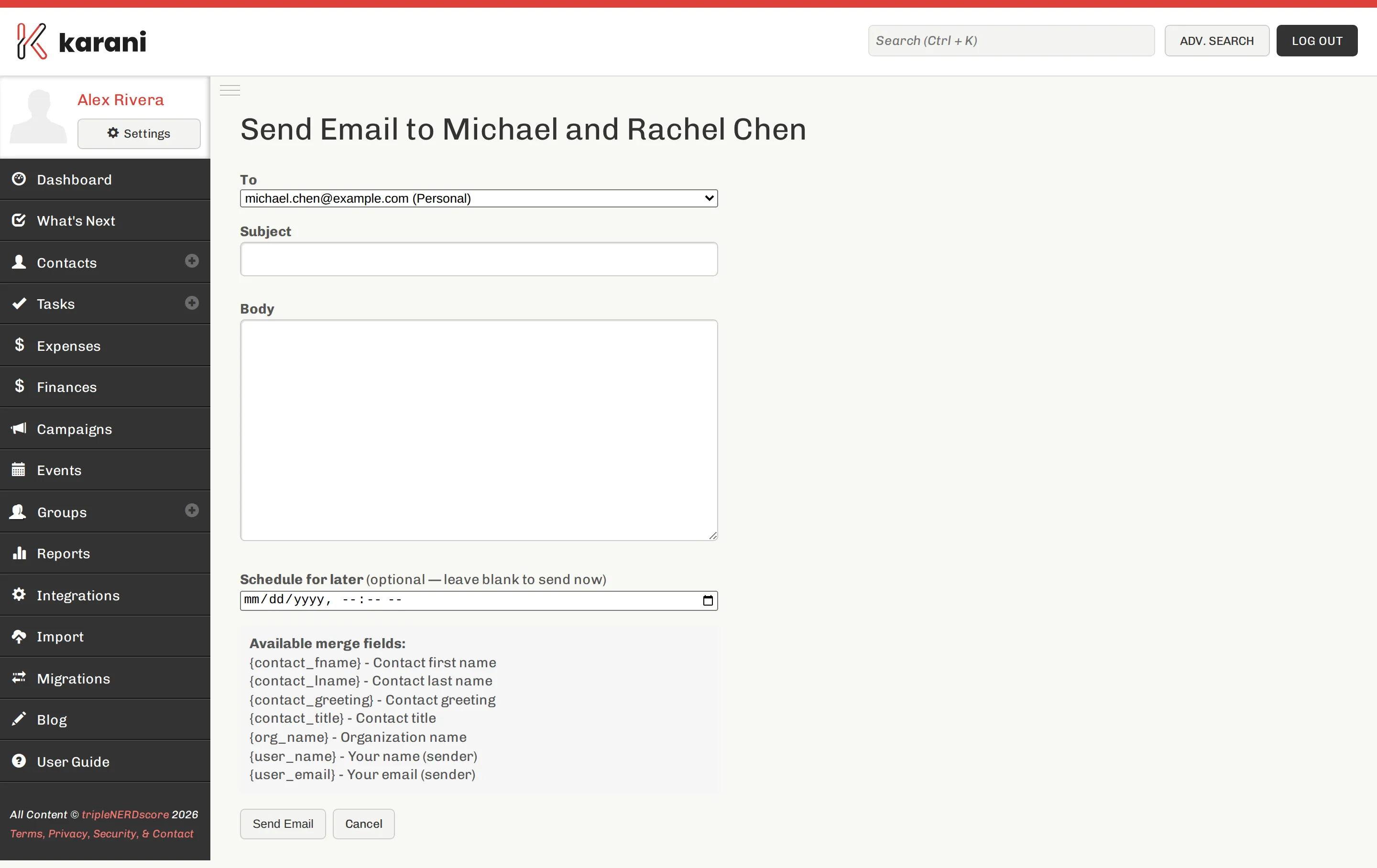
Compose, with the contact already in the recipient field. -
Check the recipient. Karani fills in the contact’s first email address; change it if they have several.
-
Write a subject and the body. Optionally insert a template.
-
Send now, or schedule it.
What gets logged
Section titled “What gets logged”Sending through Karani writes an interaction on the contact automatically, so the message appears on their Communication Timeline and counts toward their last-contacted date.
That’s the main reason to send from here rather than from your own mail client: the record keeps itself.
Where the email comes from
Section titled “Where the email comes from”Messages are sent on your behalf with your name and reply-to address, so replies come back to you. See Deliverability for what affects whether they arrive.
Sending to several people
Section titled “Sending to several people”The compose screen is for one contact at a time.
- A handful of people, same message — use a template and send individually. Personal emails outperform bulk ones by a wide margin, and it’s less work than it sounds.
- A whole list — use Mailchimp. See Newsletters.
Whichever you choose, log it against everyone with Bulk tasks & interactions.
Contacts with no email address
Section titled “Contacts with no email address”Send Email needs an address on the contact. Add one on their edit form, or reach them another way and log the interaction.