

Account preferences
Settings → Preferences, or karani.co/account/settings.
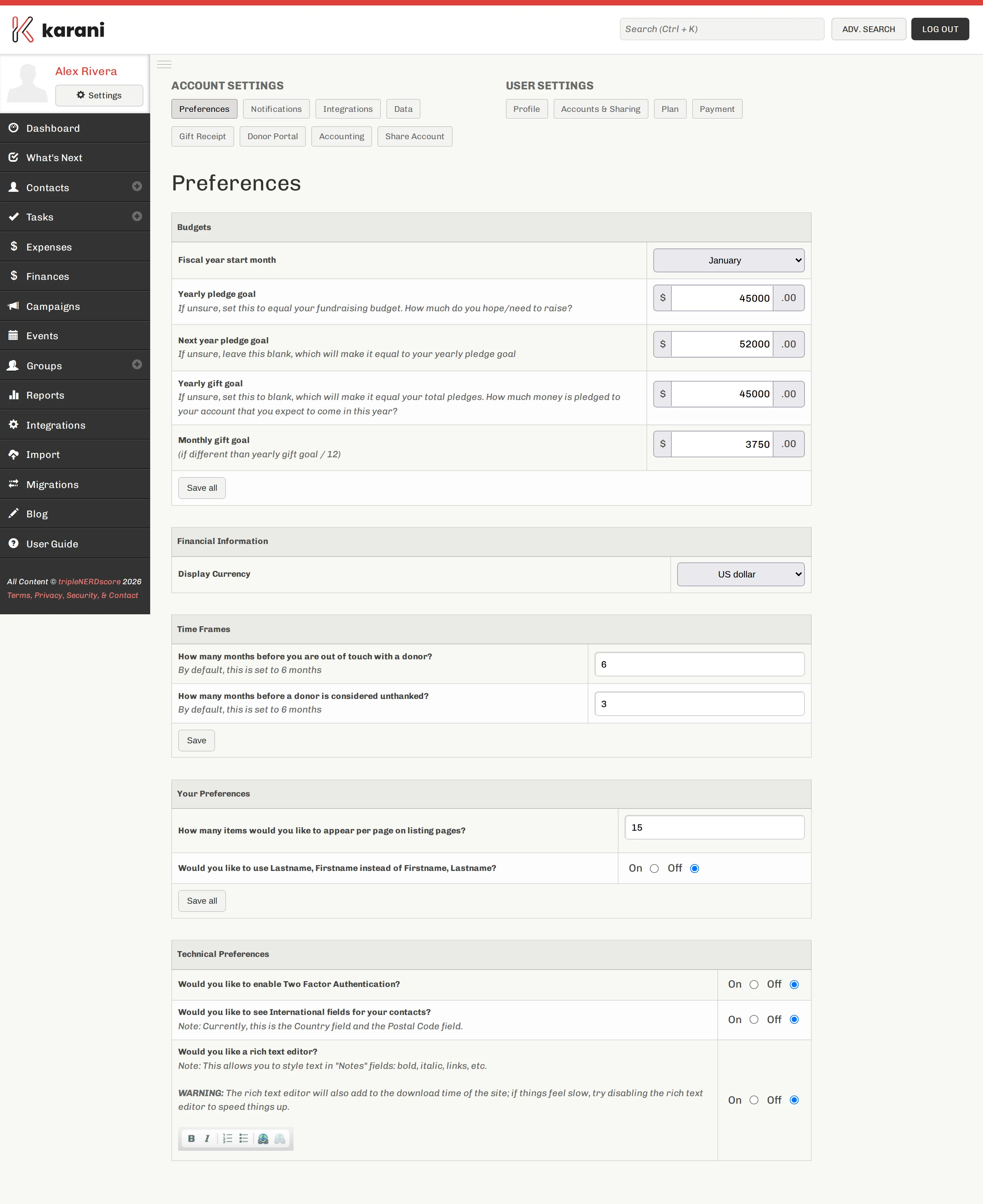
Budgets
Section titled “Budgets”The most important section — see Setting your goals for the full walkthrough.
| Setting | Notes |
|---|---|
| Fiscal year start month | Drives every “this year” calculation. Usually January or July. |
| Yearly pledge goal | How much you need pledged. Usually your annual budget. |
| Next year pledge goal | The same for next year. Optional but useful. |
| Yearly gift goal | Leave blank — Karani derives it from your pledges. |
| Monthly gift goal | Leave blank unless your giving is genuinely seasonal. |
Time frames
Section titled “Time frames”Two thresholds that decide who appears in two reports.
Out of touch donors — months without any interaction before a donor is flagged in Out of Touch Donors. Default 6.
Unthanked donors — months after a gift before a donor is flagged in Unthanked Donors. Default 6.
General preferences
Section titled “General preferences”How many items — how many records appear per page on every listing page: contacts, gifts, search results.
Raise it before doing bulk work. Selecting 100 contacts is far easier at 100 per page than at 15.
International fields — adds a Country field and adjusts postal codes. Turn it on if you have contacts outside your own country, and turn it on before importing them, or country data has nowhere to map.
Display currency — the currency symbol used throughout.
Technical preferences
Section titled “Technical preferences”Rich text editor — gives you a toolbar in Notes fields for bold, italic, lists, and links.
Worth turning on if you write substantial notes. Leave it off if you like plain text.
Repeating tasks — enables the repeating tasks feature.
Other settings on this page
Section titled “Other settings on this page”- Birthday reminder emails and days before birthday — see Upcoming Special Days
- Potential duplicates threshold and advanced mode — see Merging duplicates
Saving
Section titled “Saving”Each section has its own Save all. Changes aren’t saved until you click it.