

Mailchimp
Mailchimp is where you send your newsletter. Karani’s job is keeping the list current so you never export a CSV again.
Connecting
Section titled “Connecting”-
Go to Integrations and find the Mailchimp card.
-
Connect — you’ll authorise on Mailchimp’s site and come back.
-
Choose a Mailchimp list to sync with.
-
Sync List with Karani.
Karani creates a Mailchimp group in your account, linked to that list.
How the sync works
Section titled “How the sync works”Once connected, the Karani Mailchimp group and the Mailchimp list stay in step:
- Adding a contact to the Karani group subscribes them in Mailchimp.
- Removing them unsubscribes them.
- Changes in Mailchimp flow back to Karani.
Manage membership from the Karani side — the group page, or the Groups panel on each contact profile. See Adding & removing contacts.
The feature list
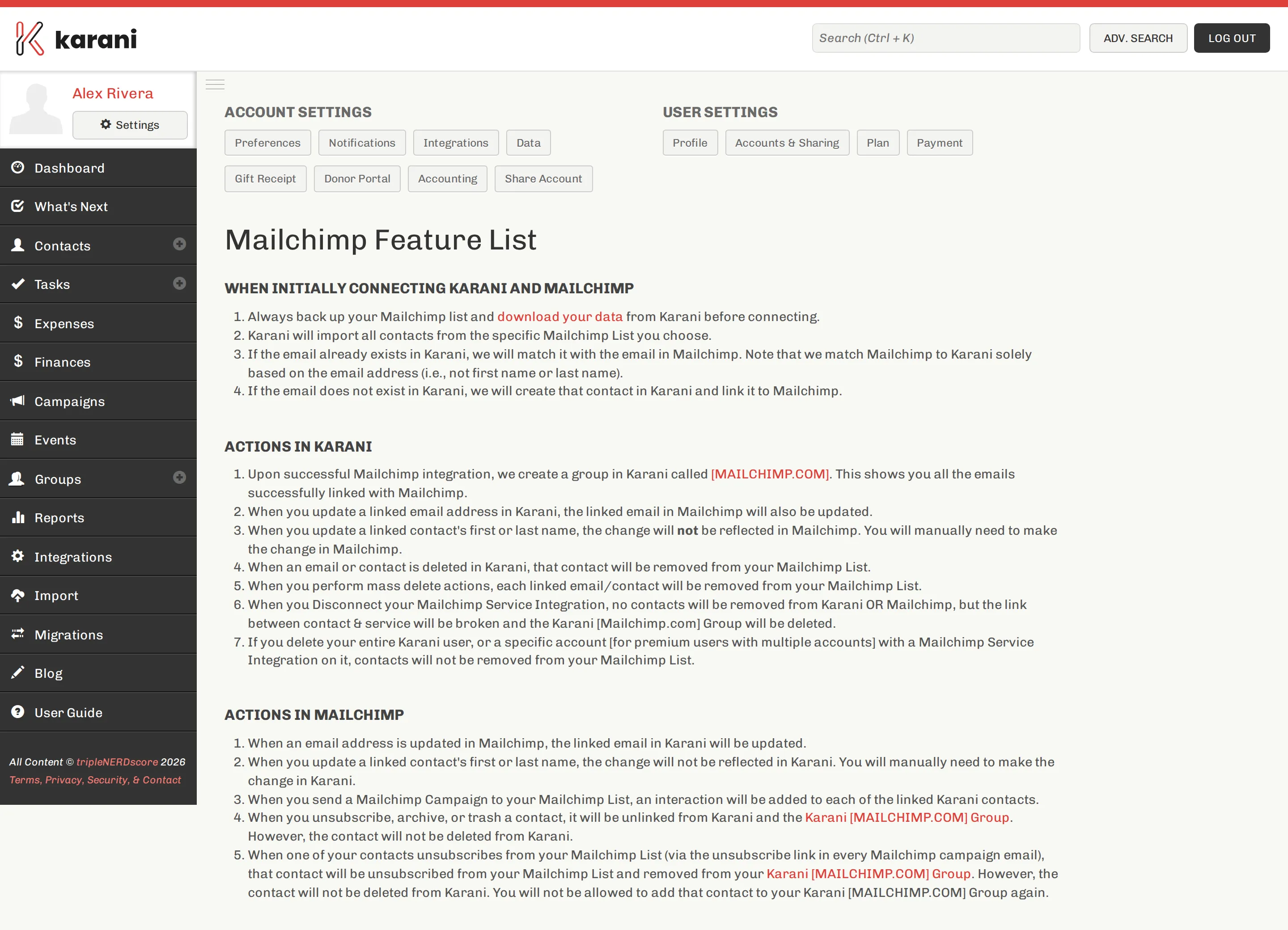
Section titled “The feature list”The integration card links a Mailchimp Feature List page describing exactly what the integration does and doesn’t do.
Re-importing the list
Section titled “Re-importing the list”Re-Import List unlinks every contact from the Karani Mailchimp group and re-syncs from the Mailchimp list.
No contacts are deleted on either side. Use it when the two have drifted out of step.
Which email address syncs
Section titled “Which email address syncs”The contact’s first email address. If the wrong one is going to Mailchimp, reorder them on the contact — see Emails, phones & addresses.
Disconnecting
Section titled “Disconnecting”Disconnect stops the sync. It does not delete contacts in Karani or Mailchimp, and doesn’t delete the Mailchimp group in Karani — the group just stops syncing.
Without the integration
Section titled “Without the integration”For a one-off, export a Mailchimp-ready CSV from any group. Fine once; connect the integration if you’re doing it monthly.
Bounces and unsubscribes
Section titled “Bounces and unsubscribes”Someone who unsubscribes in Mailchimp is unsubscribed. A hard-bouncing address should be fixed on the contact, not just in Mailchimp — otherwise the next sync puts it back. See Deliverability.