

Customizing your dashboard
Opening the customizer
Section titled “Opening the customizer”Click Customize beside the Overview heading on your dashboard. The button becomes Done while the customizer is open.
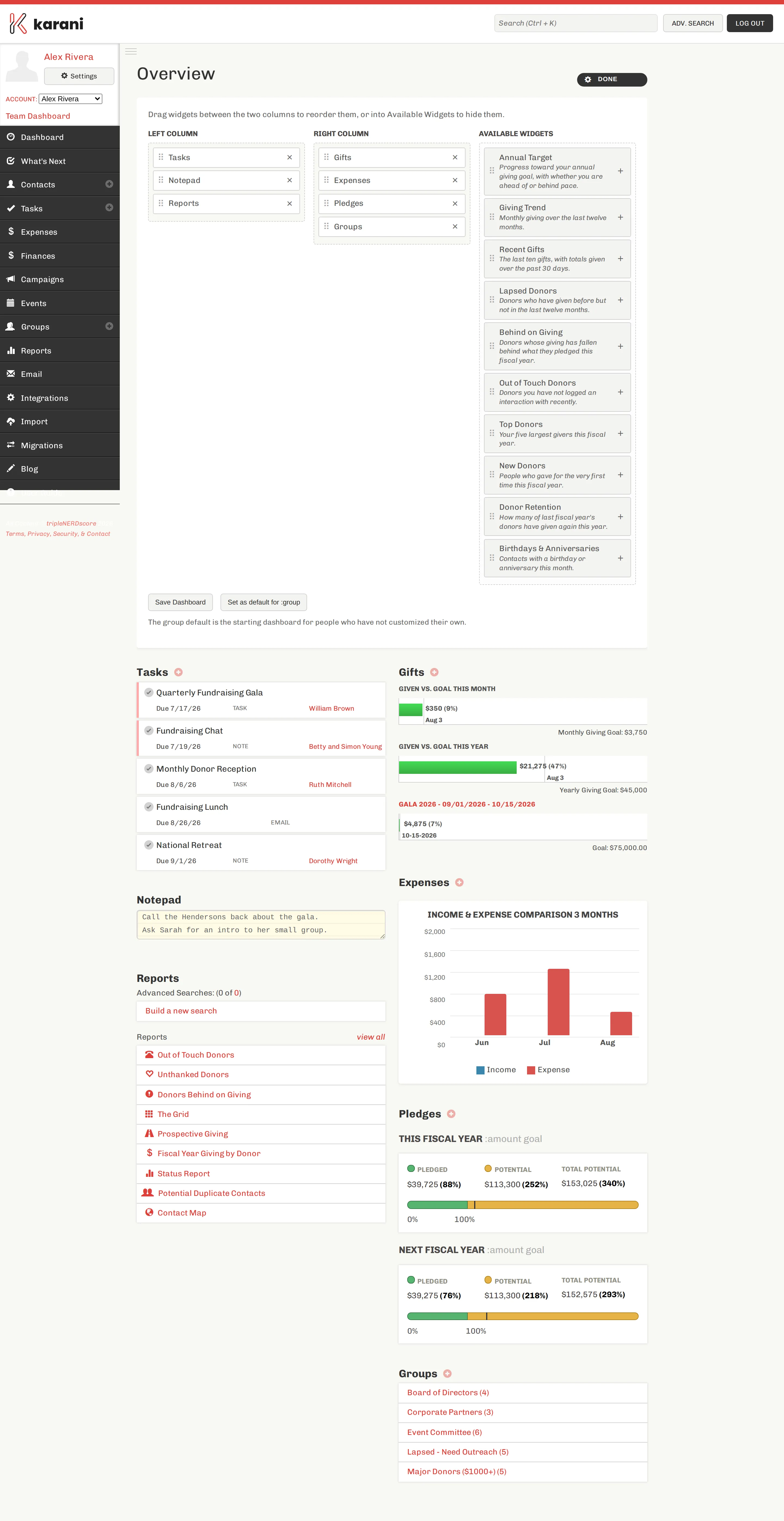
Moving widgets
Section titled “Moving widgets”Drag a widget by its handle:
- Between the two columns to move it left or right
- Within a column to reorder it
- Into Available Widgets to hide it
The buttons do the same thing without dragging:
- × on a widget hides it
- + on an available widget adds it to the left column
Saving
Section titled “Saving”Click Save Dashboard. Nothing changes until you do — closing the customizer without saving discards your changes.
Resetting
Section titled “Resetting”Reset to Default clears your saved layout entirely. You fall back to whatever you’d otherwise inherit — a layout your team leader assigned you, your team’s default, or the standard set. See Layouts & inheritance.
Setting a default for your team
Section titled “Setting a default for your team”If you lead a team, the customizer also offers Set as default for <your team>. That publishes the layout you’ve built as the starting dashboard for everyone on the team who hasn’t customized their own.
Full detail in Team dashboards.
Building a dashboard worth having
Section titled “Building a dashboard worth having”The default dashboard is a reasonable general-purpose starting point. It is probably not the best dashboard for you.
Two questions worth asking:
What do I want to see the moment I log in? For most fundraisers that’s Tasks and Annual Target — what to do, and whether you’re on track.
Which list do I keep meaning to work and never do? Whichever it is — Behind on Giving, Out of Touch Donors, Lapsed Donors — put it on the dashboard. A list you walk past every morning gets worked; one behind two clicks doesn’t.
Widgets you can’t add
Section titled “Widgets you can’t add”If a widget isn’t in Available Widgets, it isn’t available for your account — Giving by Fund needs more than one designation, Expenses needs accounting enabled, and the organisation widgets need you to belong to an organisation. See Dashboard overview.