

A tour of Karani
Five minutes here will save you a lot of clicking around later.
The navigation
Section titled “The navigation”Every page in Karani has the same dark rail down the left side.
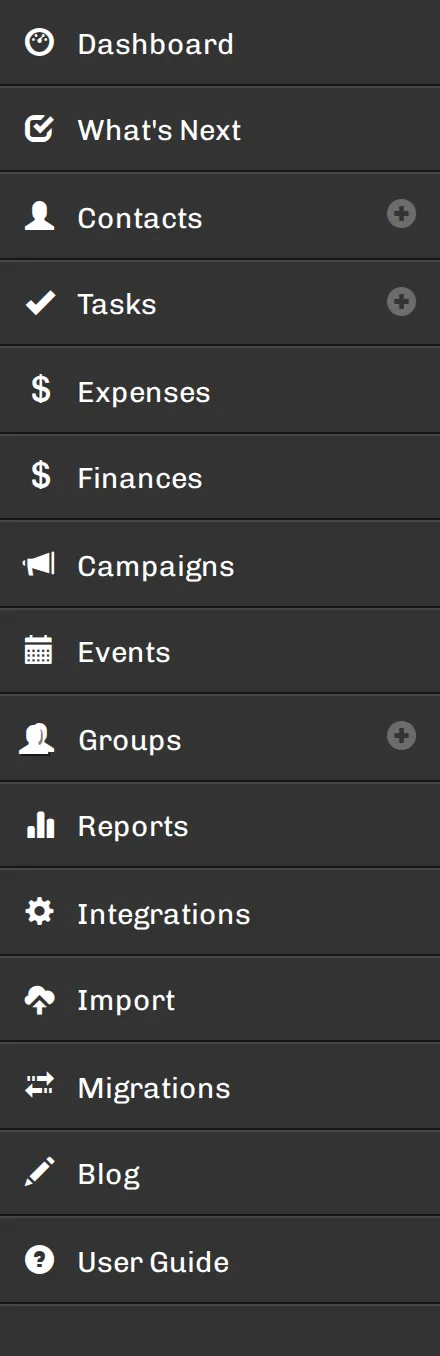
| Item | What it’s for |
|---|---|
| Dashboard | Your home screen. Rearrangeable — see customizing it. |
| What’s Next | Karani’s suggestion engine. When you don’t know who to contact, start here. |
| Contacts | Everyone you’re in relationship with. The + adds a new one. |
| Tasks | Everything you’ve told yourself to do, ordered by due date. |
| Expenses | Fundraising costs, tracked against categories. Only appears when accounting is enabled. |
| Finances | Pledges, gifts, goals, and your online giving link. |
| Campaigns | Time-boxed appeals with their own goal and results. |
| Events | Banquets and galas — ticketing, registration, check-in, volunteers. |
| Groups | Reusable lists of contacts. The + creates one. |
| Reports | Fifteen built-in reports plus your own saved searches. |
| Integrations | Stripe, Mailchimp, QuickBooks, and everything else Karani connects to. |
| Import | CSV importers for contacts, gifts, pledges, interactions, and expenses. |
| Migrations | Direct transfers from another CRM. |
| Blog | Product news and fundraising articles from the Karani team. |
| User Guide | These docs. |
The top bar
Section titled “The top bar”
Along the top of every page:
- Search — type any name and Karani finds the contact. Press Ctrl K to jump straight into it.
- Adv. Search — the advanced search builder, for anything more complicated than a name.
- Log out.
The dashboard
Section titled “The dashboard”The dashboard is built from widgets, and you can rearrange them — see Customizing your dashboard. What follows is the standard set.
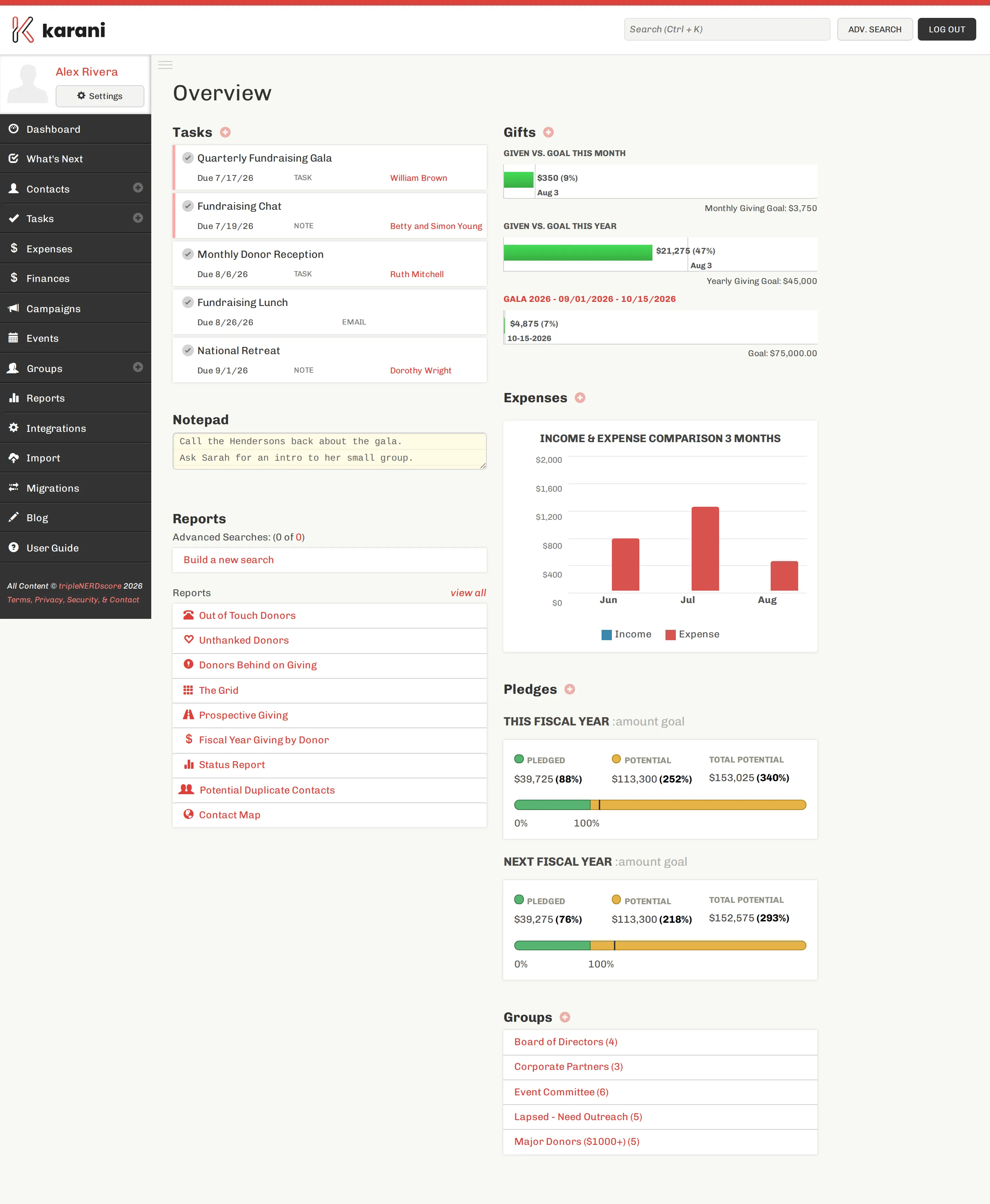
The dashboard is two columns.
On the left:
- Tasks — the next few things due, with the contact each one relates to. Click the check to complete a task; it moves into that contact’s interaction history automatically.
- Notepad — a scratch pad that saves as you type. Nothing clever, just somewhere to put a thought.
- Reports — your saved searches, plus shortcuts to the most-used built-in reports.
On the right:
- Gifts — given vs. goal this month and this year, plus any active campaign.
- Expenses — income and expense over the last three months.
- Pledges — pledged and potential income for this fiscal year and next.
- Groups — your groups with a count of members.
The shape of the data
Section titled “The shape of the data”Three ideas explain most of Karani:
- A contact is a person or organisation. Everything else hangs off a contact — gifts, pledges, tasks, interactions, tags, group memberships.
- A pledge is a promise; a gift is money that arrived. Karani tracks them separately and compares them, which is how it knows who’s behind.
- A task is future; an interaction is past. They’re the same kind of record. Completing a task turns it into an interaction.
Everything else — reports, campaigns, the donor portal — is a particular view over those three.