

Reports overview
Karani’s reports exist to turn your data into next actions. Most of them end with a list of people and a reason to contact them.
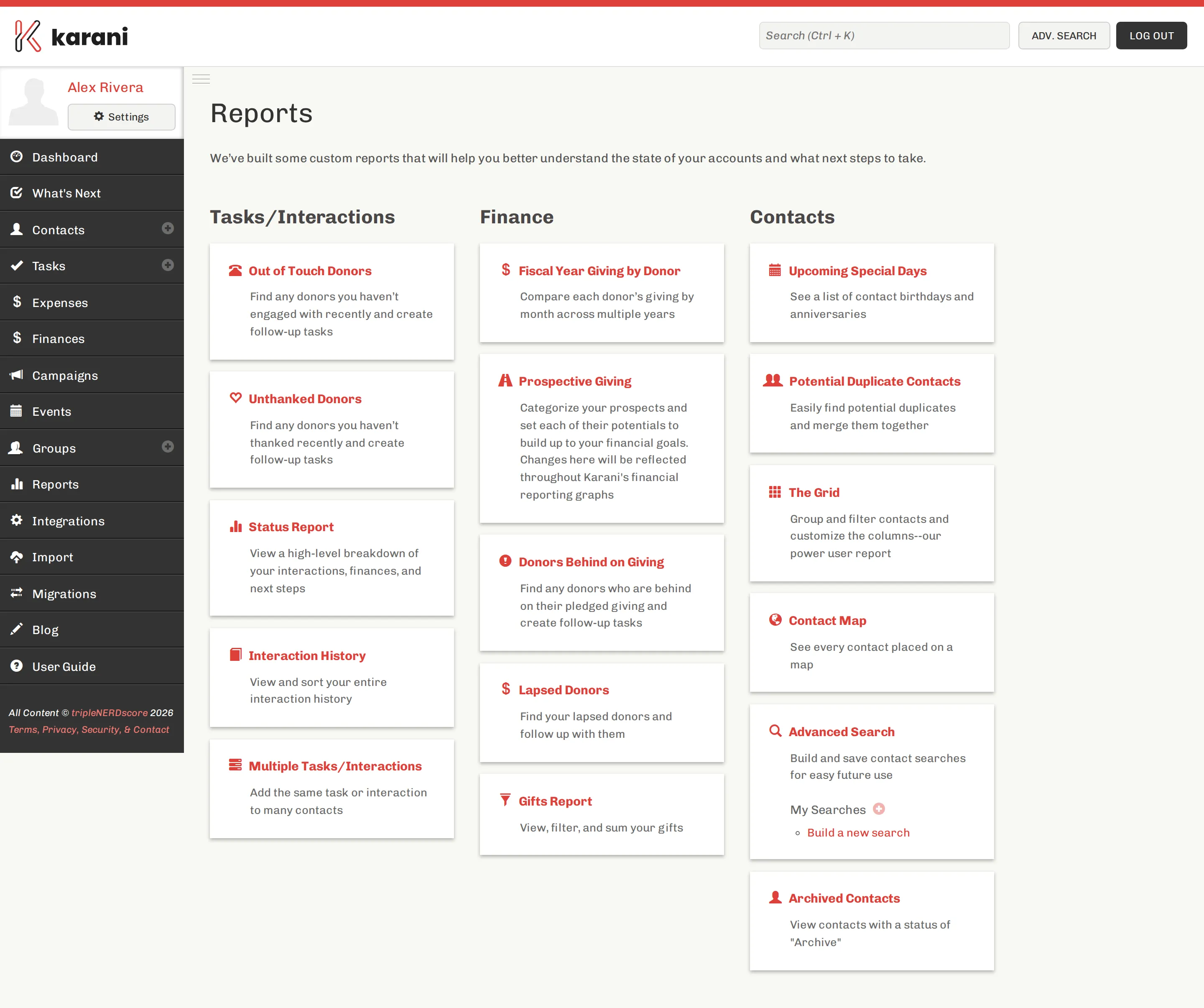
Tasks / Interactions
Section titled “Tasks / Interactions”| Report | Answers |
|---|---|
| Out of Touch Donors | Who haven’t I spoken to lately? |
| Unthanked Donors | Who gave and never heard back? |
| Status Report | How is everything going, at a glance? |
| Interaction History | What have I actually been doing? |
| Multiple Tasks/Interactions | Log one thing against many contacts |
Finance
Section titled “Finance”| Report | Answers |
|---|---|
| Fiscal Year Giving by Donor | How has each donor’s giving changed year over year? |
| Prospective Giving | Is my pipeline big enough to close the gap? |
| Donors Behind on Giving | Who has fallen short of their pledge? |
| Lapsed Donors | Who has stopped giving? |
| Gifts Report | What came in, filtered and summed? |
Contacts
Section titled “Contacts”| Report | Answers |
|---|---|
| Upcoming Special Days | Whose birthday or anniversary is coming up? |
| Potential Duplicate Contacts | Which contacts are the same person? |
| The Grid | Anything else — the power user report |
| Contact Map | Where is everyone? |
| Advanced Search | Build your own |
| Archived Contacts | Who did I archive? |
Your own saved searches appear under My Searches on this page and on your dashboard.
Which report when
Section titled “Which report when”Starting your week: What’s Next, then your Tasks page.
Monthly review: Status Report, Donors Behind on Giving, Lapsed Donors.
Planning next year: Prospective Giving, Fiscal Year Giving by Donor.
Preparing a mailing: The Grid or advanced search to build the list.
Reconciling: Gifts Report and export.
Getting data out
Section titled “Getting data out”Most reports can be exported. See Exporting your data for per-report exports and for the full account download.