

Donor Portal overview
The donor portal is a page your supporters can sign into to see the giving you’ve recorded for them, download a year-end statement, and read updates you post.
It’s off until you turn it on.
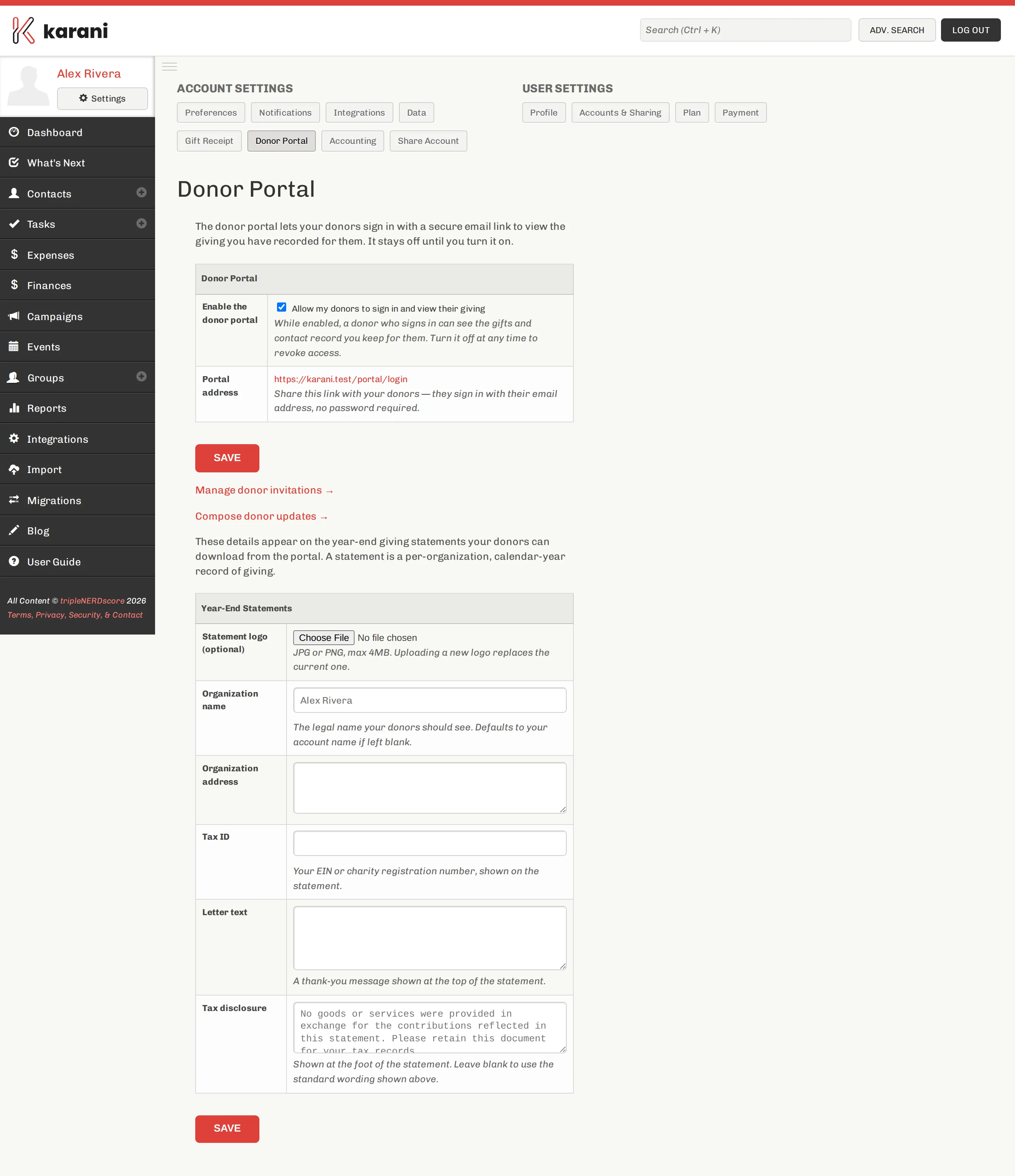
What a donor sees
Section titled “What a donor sees”When a donor signs in, they get:
- Their giving history — the gifts you’ve recorded against their contact
- A year-end giving statement they can download themselves
- Updates you’ve published
- The contact record you hold for them
How donors sign in
Section titled “How donors sign in”By secure email link — no password. A donor enters their email address, gets a link, and clicks it. If the address matches a contact in your account, they’re in.
That means there’s no password for donors to forget, and no credential for you to manage.
Why turn it on
Section titled “Why turn it on”- It removes the January email. Donors pull their own tax statement instead of asking you for one.
- It’s a low-effort communication channel. An update posted once is available to everyone.
- It builds confidence. Donors seeing an accurate record of their giving is quietly reassuring.
Why you might not
Section titled “Why you might not”- If your contact notes are candid, you’d need to clean them up first.
- If your giving records are incomplete or don’t reconcile with your organisation’s, donors will notice.
Both are fixable, and both are worth fixing regardless.
Where to go next
Section titled “Where to go next”Turning on the portalEnable it, and fill in the statement details.
Inviting donorsSend invitations individually or to everyone.
Posting updatesWrite something your donors will see when they sign in.
Excluding a contactKeep a specific contact out of the portal.