

Expense categories
Every expense belongs to a category. Categories are what make the totals mean something — “$3,400 of expenses” is noise; “$1,900 on printing and postage” is a decision.
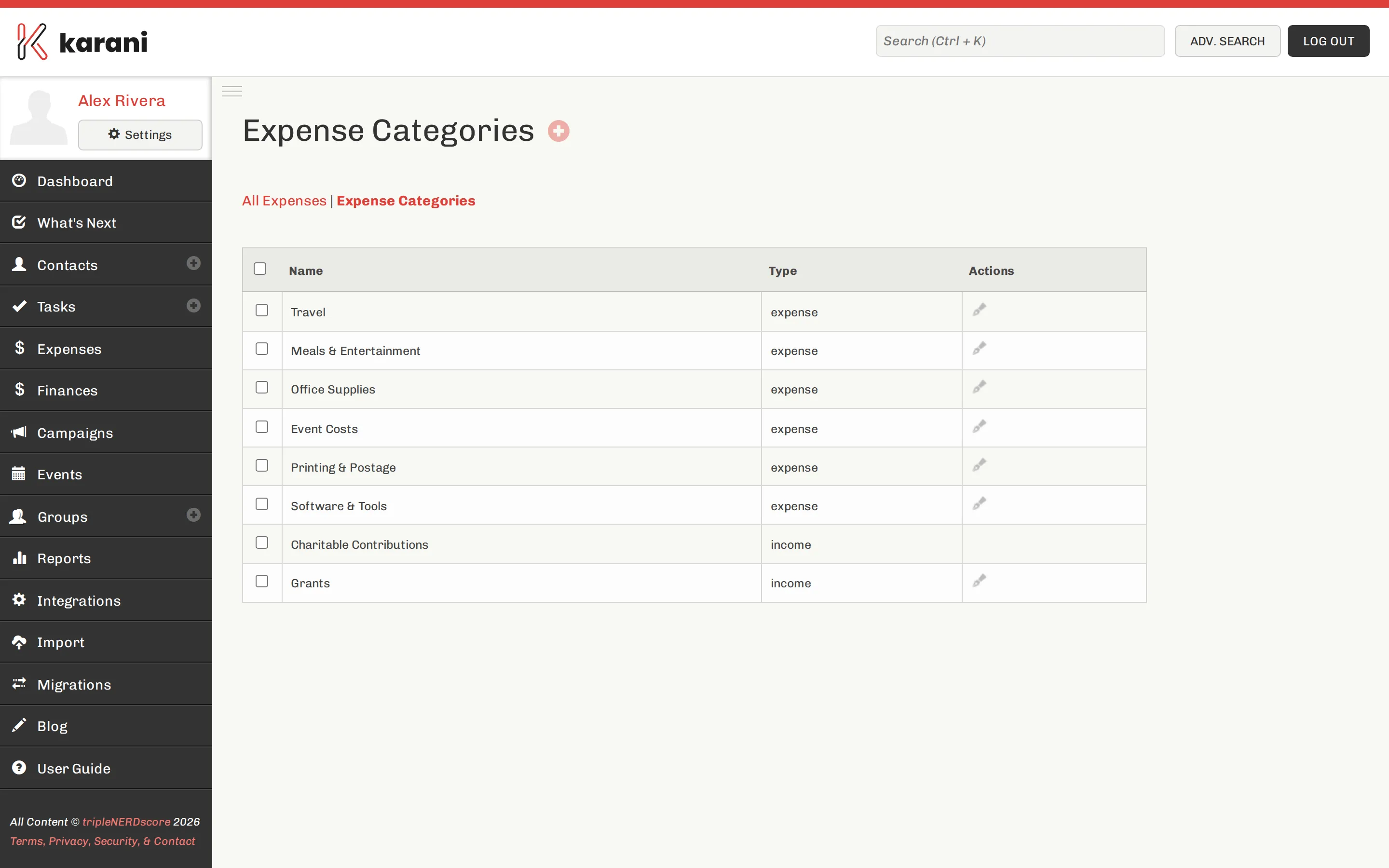
The default categories
Section titled “The default categories”A new account starts with:
Expense categories:
- Travel
- Meals & Entertainment
- Office Supplies
- Event Costs
- Printing & Postage
- Software & Tools
Income categories:
- Charitable Contributions
- Grants
Adding your own
Section titled “Adding your own”Go to Expenses → Categories and add one. You’ll set:
- Name
- Type — expense or income
The type decides which side of the income-vs-expense chart on your dashboard the category lands on.
Editing and deleting
Section titled “Editing and deleting”Click a category to edit its name or type.
Designing a set that works
Section titled “Designing a set that works”Fewer, meaningful categories beat many precise ones.
- Too coarse — one category called “Fundraising”. Tells you nothing.
- Too fine — separate categories for stamps, envelopes, and paper. You’ll stop bothering to pick the right one.
- About right — six to ten categories that map to decisions you actually make.
A good test: could this category’s total change what you do next year? If not, merge it into a broader one.