

Fiscal year & budget settings
These live under Settings → Preferences, in the Budgets section, or via Financial Settings on the Finances page.
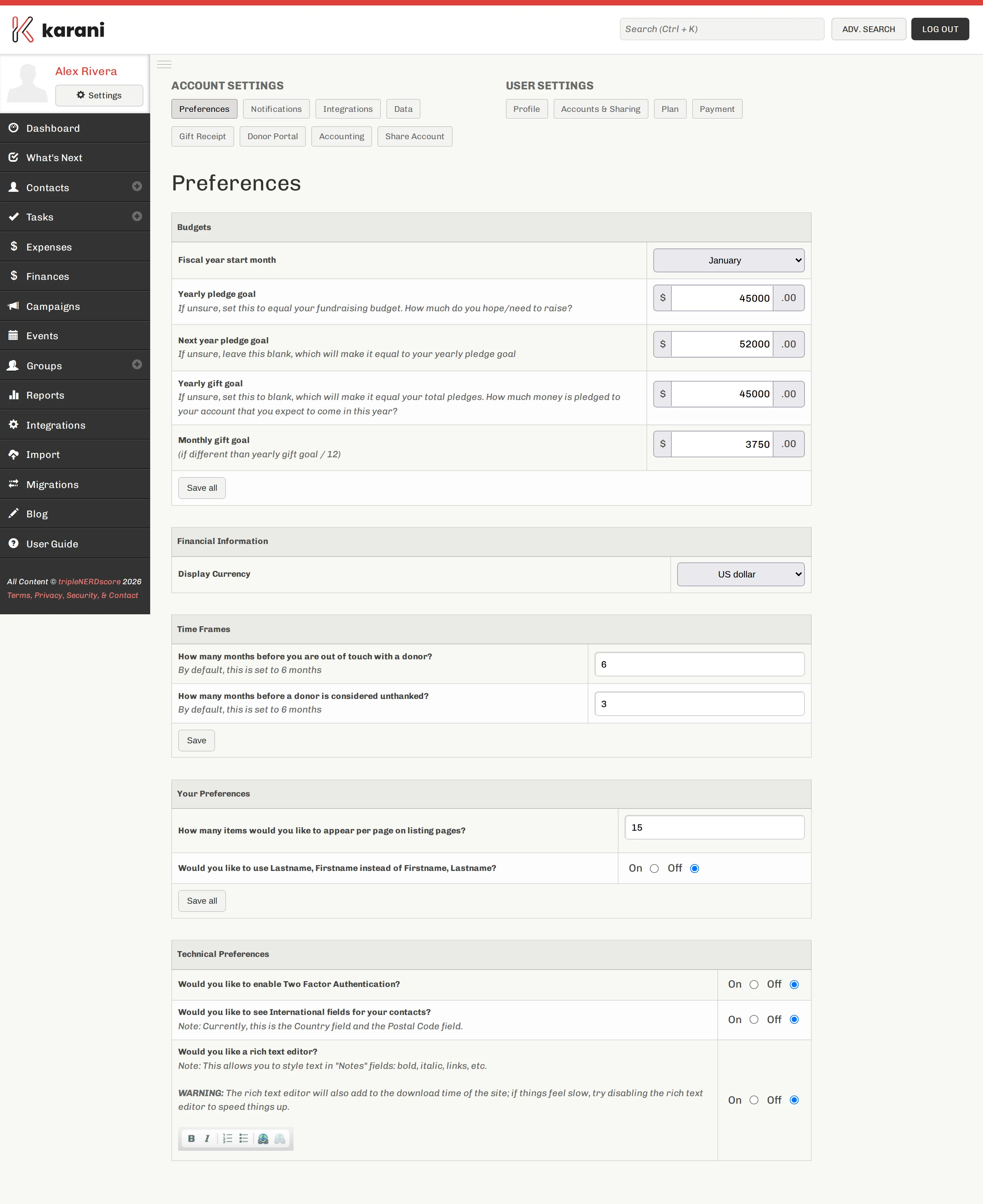
The full walkthrough of each field is in Setting your goals. This page covers what happens when you change them later.
Changing your fiscal year start month
Section titled “Changing your fiscal year start month”Changing it doesn’t touch a single gift or pledge. What it changes is which ones fall inside “this year”.
Every year-based figure moves: percent funded, year-to-date giving, the year-vs-year comparison, Fiscal Year Giving by Donor, and behind-on-giving expectations.
Changing your pledge goal mid-year
Section titled “Changing your pledge goal mid-year”Safe and common — budgets get revised. It affects percent funded and left to raise immediately, and nothing else. No historical data changes.
Rolling into a new year
Section titled “Rolling into a new year”Karani rolls over automatically at your fiscal year start month. What you should do manually:
Gift goals
Section titled “Gift goals”Yearly gift goal and monthly gift goal should normally stay blank so Karani derives them from your pledges.
Fill them in only when your expected income genuinely differs from your pledges — for instance if a large share reliably arrives at year end and you want the monthly bar to reflect that rather than an even twelfth.
Time frames
Section titled “Time frames”The same settings page also holds two thresholds that shape reports rather than finances:
- Out of touch donors — months without an interaction before a donor is flagged. Default 6.
- Unthanked donors — months after a gift before a donor is flagged as unthanked. Default 6.
See Account preferences.