

Registrations
The Registrations tab on an event is the guest list.
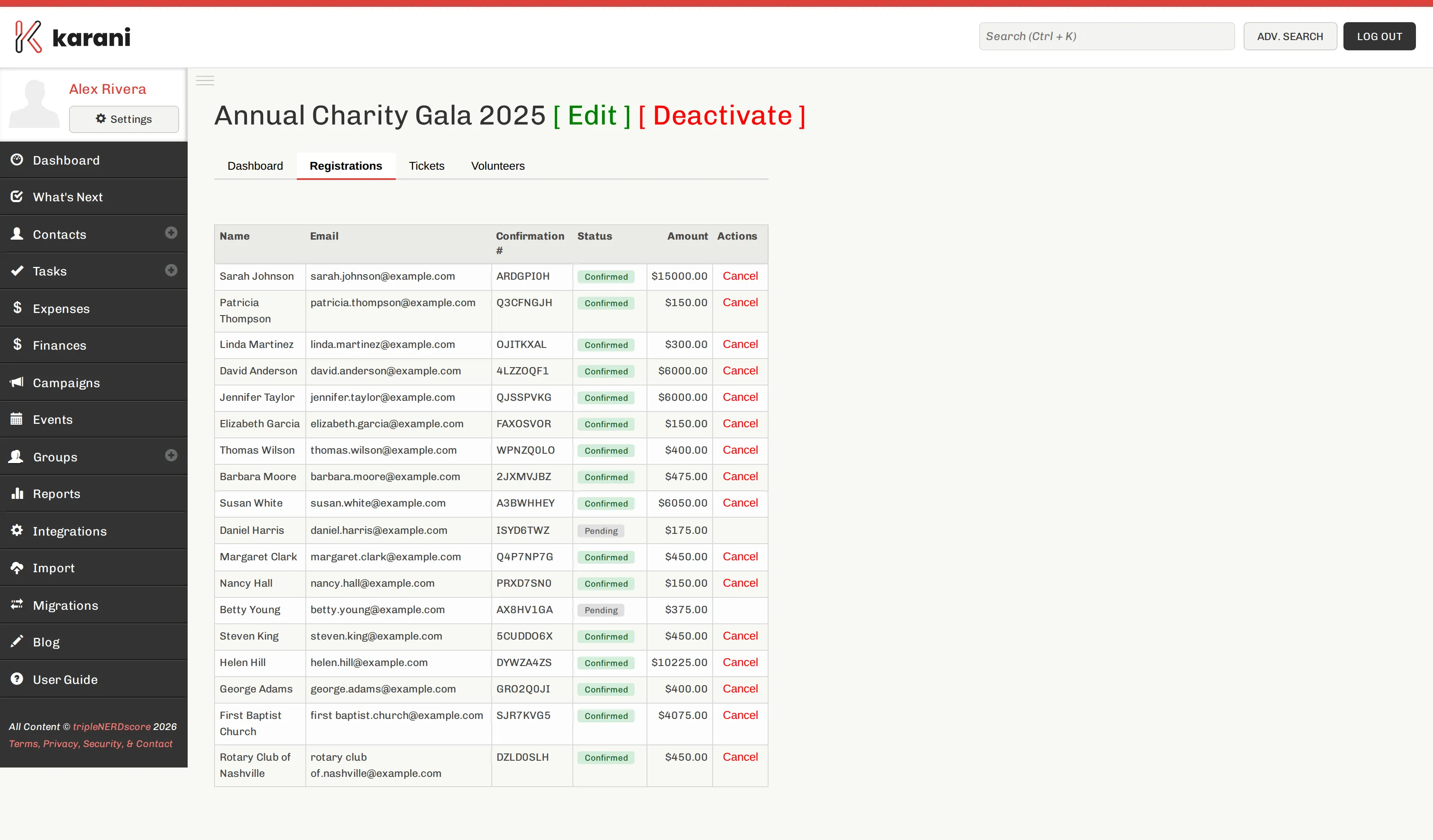
The columns
Section titled “The columns”| Column | Meaning |
|---|---|
| Name | The registrant. |
| Where their confirmation went. | |
| Confirmation # | A unique code. Guests can look up their registration with it, and it’s the fastest way to find someone at check-in. |
| Status | Confirmed — paid and booked. Pending — started but not completed, usually an unfinished payment. Cancelled. |
| Amount | What they actually paid. |
| Actions | Cancel the registration. |
Pending registrations
Section titled “Pending registrations”A pending registration is someone who began the process and didn’t finish — nearly always an abandoned payment. They occupy a row but haven’t paid.
Before the event, it’s worth emailing pending registrants: some genuinely intended to come and hit a card problem.
Decide before the night whether pending guests have a seat. If your event is close to capacity, they don’t.
Registrations and contacts
Section titled “Registrations and contacts”Registrants are matched to existing contacts by email address where possible, so an existing donor registering for your gala lands on their own record. Where no contact matches, a new one is created.
Cancelling a registration
Section titled “Cancelling a registration”Click Cancel on the row. The registration moves to cancelled status and the seat is freed.
Viewing one registration
Section titled “Viewing one registration”Click a row to see the full detail — ticket type, when they registered, confirmation number, and payment status.
Exporting the list
Section titled “Exporting the list”Export CSV on the event dashboard downloads every registration. Use it for:
- The printed list at the door as a check-in backup
- Name badges
- Seating plans
- Post-event follow-up